


Code Signing Certificate FOR DEVELOPERS
A Code Signing certificate is a digital certificate used by software developers and publishers to digitally sign their executable files, applications, scripts, and drivers. It proves to end-users that the code comes from a verified publisher and has not been modified or corrupted since it was signed — eliminating security warnings during installation.
Annual code signing certificate — sign unlimited files
Try risk-free with a 30-day money-back guarantee
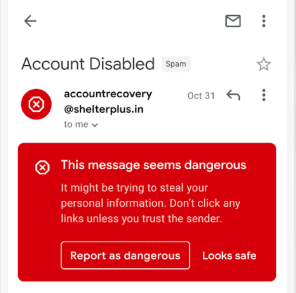
When users download software today, their operating system — Windows, macOS, Linux — checks whether the file is digitally signed by a trusted publisher. If the software is unsigned, users see a security warning: "Unknown Publisher" or "This file may harm your computer." Many users abandon the installation entirely at this point.
A Code Signing certificate works differently from an SSL/TLS certificate. Instead of encrypting web traffic, it creates a cryptographic digital signature that is embedded into your executable file, installer, script, or driver. This signature proves two critical things: (1) the code was created by your verified identity, and (2) the code has not been modified or tampered with since you signed it.
We strongly recommend that all software publishers sign their code. Unsigned software damages user trust, increases support tickets ("is this safe to install?"), and triggers antivirus false positives. A Code Signing certificate is the professional standard for distributing any software.
Filter by brand to compare Code Signing plans. Sign executables, installers, drivers, and scripts.
Organization Validated — verified publisher name displayed to users
Who needs it: Independent developers, software companies, and businesses distributing software for Windows, macOS, Linux, Android, or the web.
Validation: The CA verifies your organization's legal identity and existence (OV). Takes 1-3 business days.
Result: Windows SmartScreen shows your verified company name instead of "Unknown Publisher." Users see "Verified Publisher: Your Company Name."
Note: New OV Code Signing certificates may still trigger SmartScreen initially. Reputation builds over time with usage volume.
Extended Validation — instant SmartScreen reputation, USB token required
Who needs it: Developers who need immediate SmartScreen reputation — no waiting period. Required for Windows kernel-mode driver signing.
Validation: Extended Validation — the CA verifies your organization through the most thorough process. May take 3-7 business days.
Instant SmartScreen: EV Code Signing certificates carry immediate reputation with Microsoft SmartScreen — users won't see warnings from the first download.
Hardware token: EV Code Signing private keys are stored on a physical USB hardware token (shipped to you) — cannot be exported, providing stronger security.
Kernel drivers: Required for signing Windows 10/11 kernel-mode drivers. Microsoft mandates EV Code Signing for all kernel driver submissions to Windows Hardware Dev Center.
When you sign your software with a Code Signing certificate, a cryptographic hash (a unique fingerprint) of your executable file is created and then encrypted using your certificate's private key. This encrypted hash — the digital signature — is embedded directly into the file itself.
When a user downloads and runs your software, their operating system uses your certificate's public key to decrypt the signature and recalculate the file's hash. If the hashes match, two things are confirmed: (1) the file was signed by the holder of that certificate, and (2) the file has not changed since signing — no malware was injected, no bits were altered.
Timestamps are also included in the signature. This means even after your certificate expires, previously signed files remain valid — the signature is trusted permanently as long as it was valid at the time of signing.
Replace Windows SmartScreen's scary "Unknown Publisher" warning with your verified company name — dramatically increasing user confidence and installation completion rates.
The cryptographic signature guarantees your code has not been tampered with, corrupted, or injected with malware after you published it — protecting both your users and your reputation.
Unsigned software is frequently flagged by antivirus engines. A Code Signing certificate with a trusted CA significantly reduces false positive detections and improves your software's reputation score.
Studies show that a large percentage of users abandon software installation when they encounter an "Unknown Publisher" security warning. These warnings damage trust in your brand, increase support inquiries, and cost you real user adoption.
With a Code Signing certificate, Windows, macOS, and other platforms display your verified publisher name instead of a warning. The security dialog changes from a scary red warning to a clear, trusted notification — showing your company name, verified by a trusted Certificate Authority.
For EV Code Signing certificates, the benefit is even stronger: Microsoft SmartScreen immediately recognizes your publisher identity and grants instant reputation — meaning zero SmartScreen blocks from the very first download.
Everything about Code Signing certificates — what they sign, how they work, OV vs EV, and Windows SmartScreen.
💡 Note
Code Signing is different from SSL/TLS. SSL secures web traffic. Code Signing signs software files. You may need both if you distribute software via a website.
OV & EV Code Signing · Windows · macOS · Android · Scripts · Drivers
Sign unlimited files · Permanent timestamps · 30-day money-back · 200,000+ Customers · Since 2014